


Answer from your phone
In this example, an agent wants to run a command while you are away from your Mac, and you allow it from your iPhone.
- Project
- launch-site
- Agent
- Codex, on one of your accounts
- Phone
- Miko for iPhone
Your iPhone tells you
When an agent needs your OK, your iPhone gets a push, and the Miko tab shows which agent asks and what it wants to run.
- You can answer right on the push, with Allow or Deny.
- Your iPhone asks you to unlock it first, with Face ID or your passcode.
- The push is encrypted on its way to your phone.
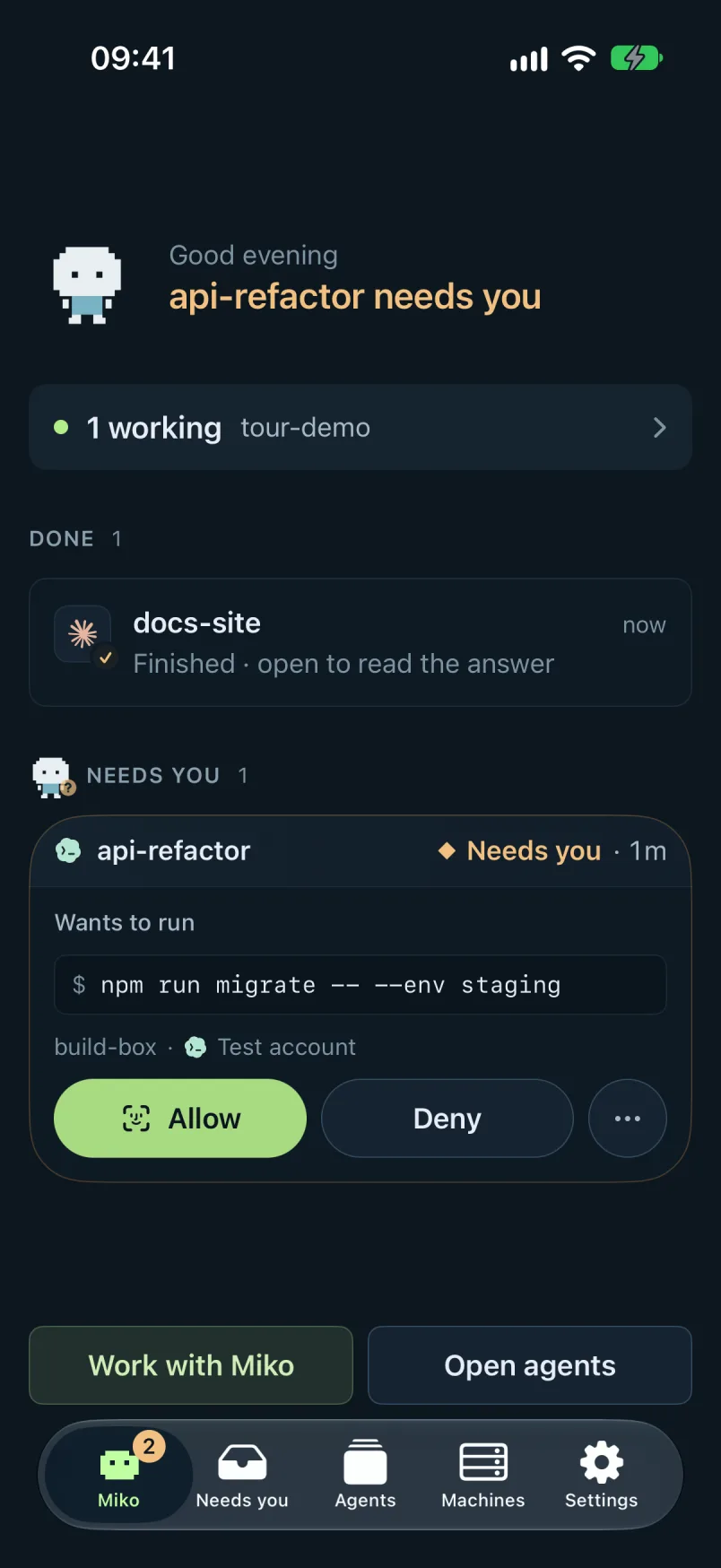
You check it in Needs you
Needs you shows the command, where it runs and on which account, with Allow and Deny under it.
- What needs you is at the top, and the agents that are done are under it.
- Open agent, the arrow, shows the agent itself if you want to read more first.
- The other agents keep working while that one waits.
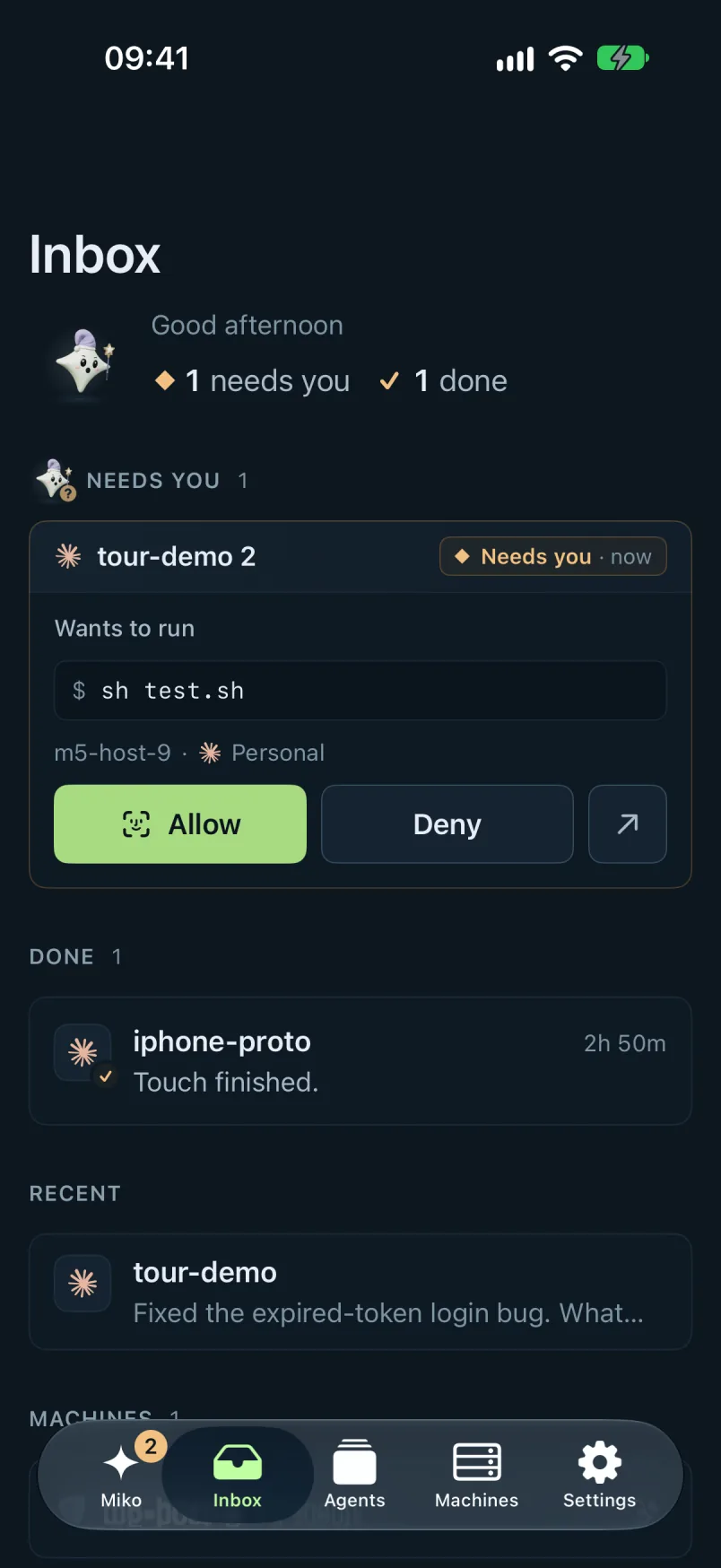
The agent carries on
Once you allow it, the agent runs the command and goes on with its task.
- If you deny it, the command does not run.
- When it finishes, it moves to Done in Needs you.
- The same question also waits in Needs you on your Mac and in the browser.
What you end up with
- An agent that got your OK while you were away from your Mac
- Every question from your agents in one place, Needs you
- A push for each one, encrypted on the way
- The other agents working the whole time
Good to know
- Works with Claude Code, Codex, Cursor and every other coding agent, plus any API key.
- Every agent runs on your own account or API key.
- The iPhone app also shows your agents, their sessions and your machines.
- Live Activities and widgets show your agents without opening the app.